Development Environment — Not Live Data
SowGood

Run your program's enrollments, without the spreadsheet chaos.

SowGood gives small CPR, STEM, and enrichment operators one place to publish classes, take enrollments, and collect payment. Set up in an afternoon, not a quarter.

Run enrollments

Publish your class schedule and let families enroll themselves, one form per child, no back-and-forth emails.

Take card payments

Cards are charged at submission and settled to your own connected account. You set your own refund terms.

No setup fees

Bring your existing class list. There's no onboarding fee and no long-term contract to get started.
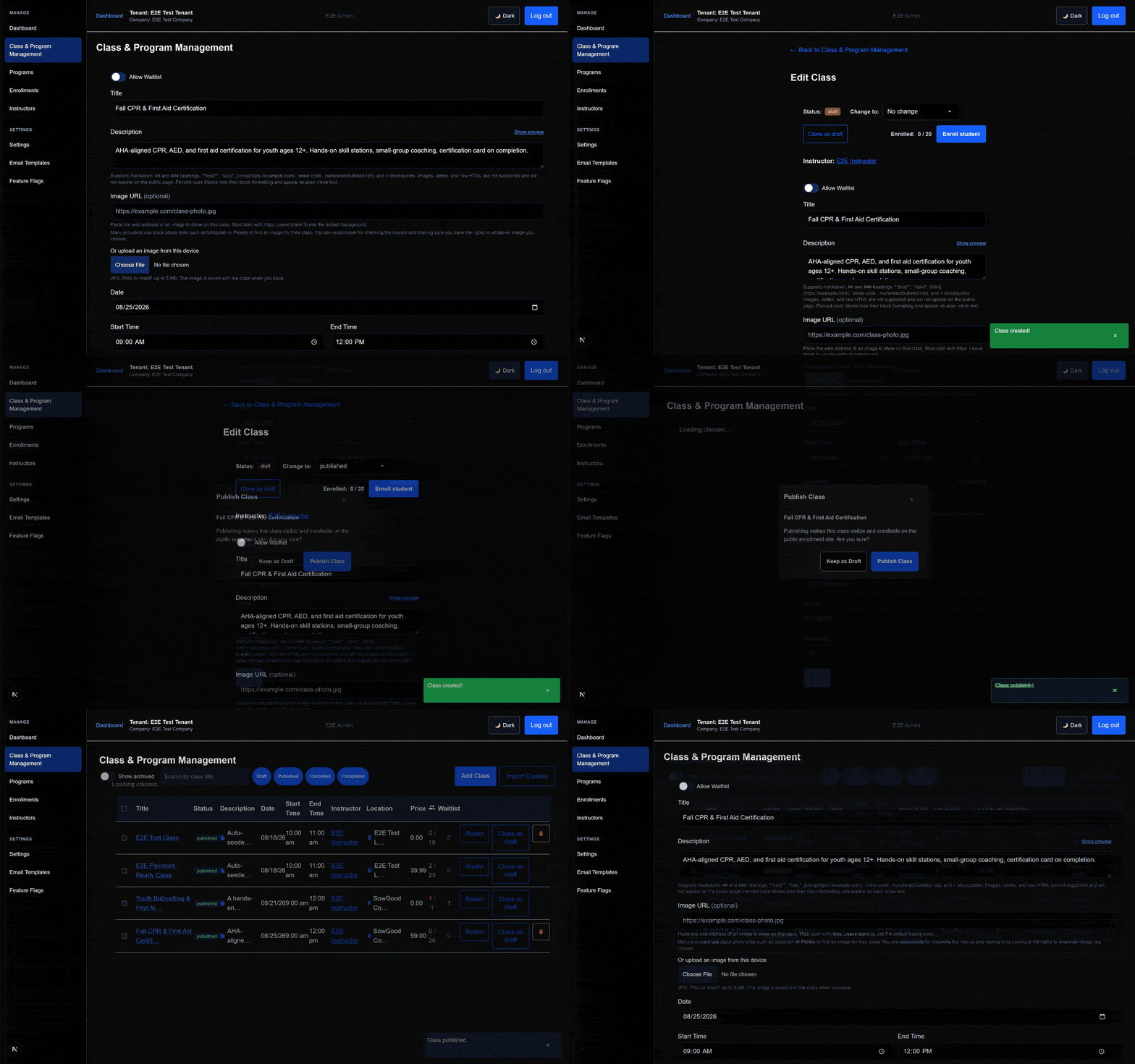
Publishing a class in the admin app: filling in the class form, saving as a draft, confirming publish, and the class going live in the list.
Publish a class in minutes
Add an age range, schedule, and price. Publish when you're ready, no review wait.
Publishing a class in the admin app: filling in the class form, saving as a draft, confirming publish, and the class going live in the list.
Feature 1
Publish a class in minutes
Add an age range, schedule, and price. Publish when you're ready, no review wait.
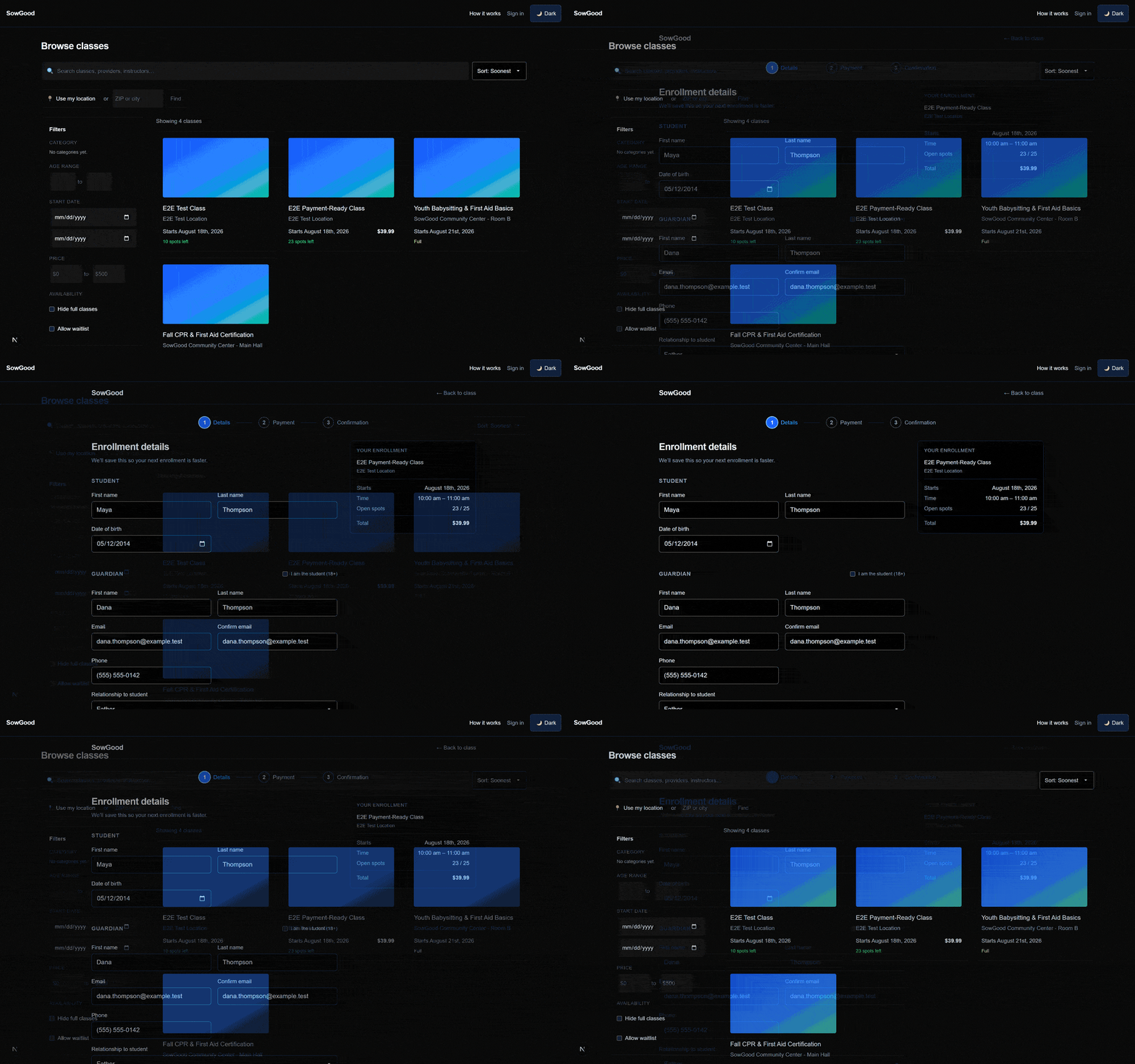
A guardian browsing the public class list, then filling in a student and guardian enrollment form.
Feature 2
Guardians enroll themselves
One form per child. No back-and-forth emails to get a family signed up.
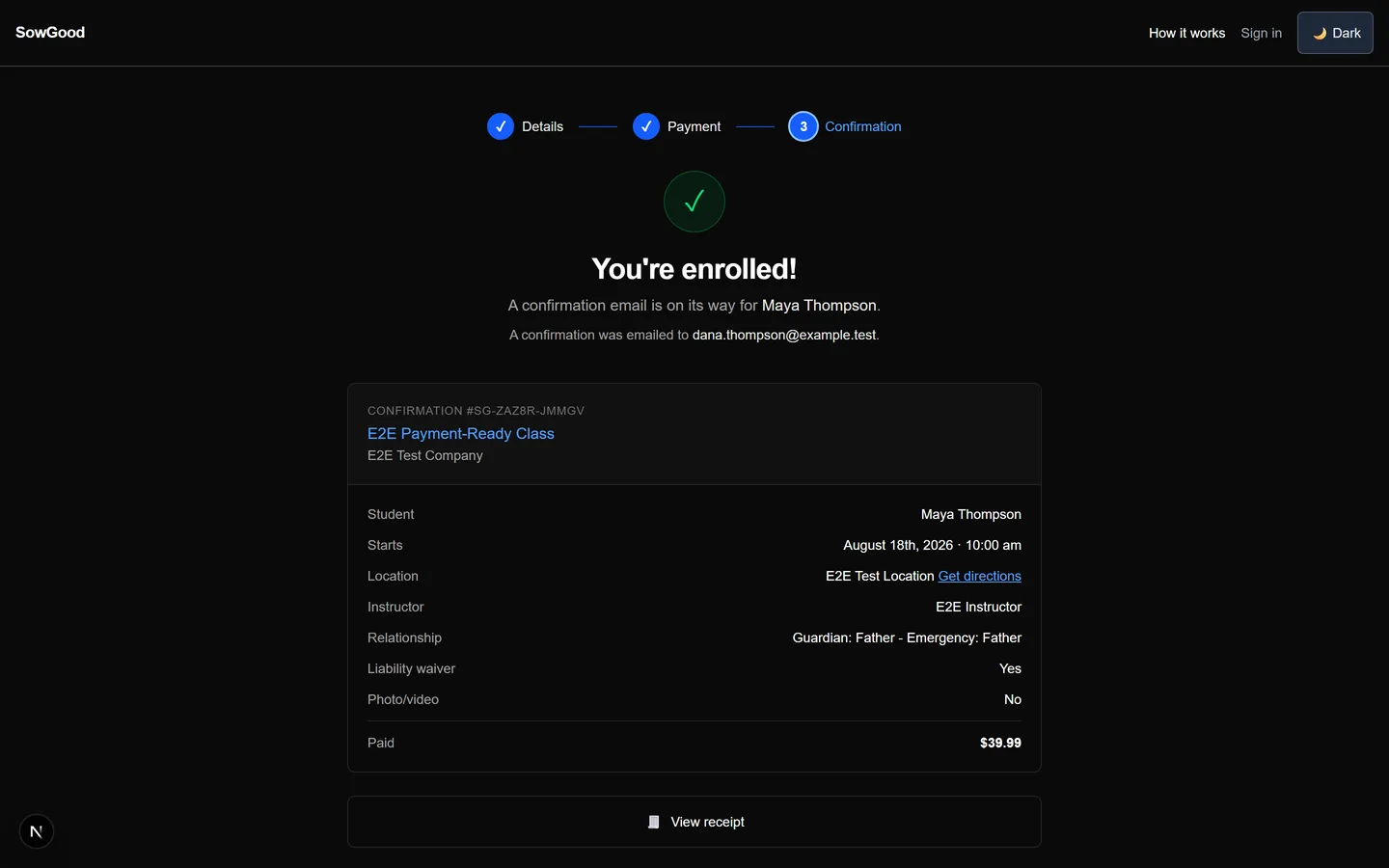
Enrollment confirmation screen showing the class paid in full.
Feature 3
Cards charge automatically
Payment is collected at submission and settled straight to your own connected account.
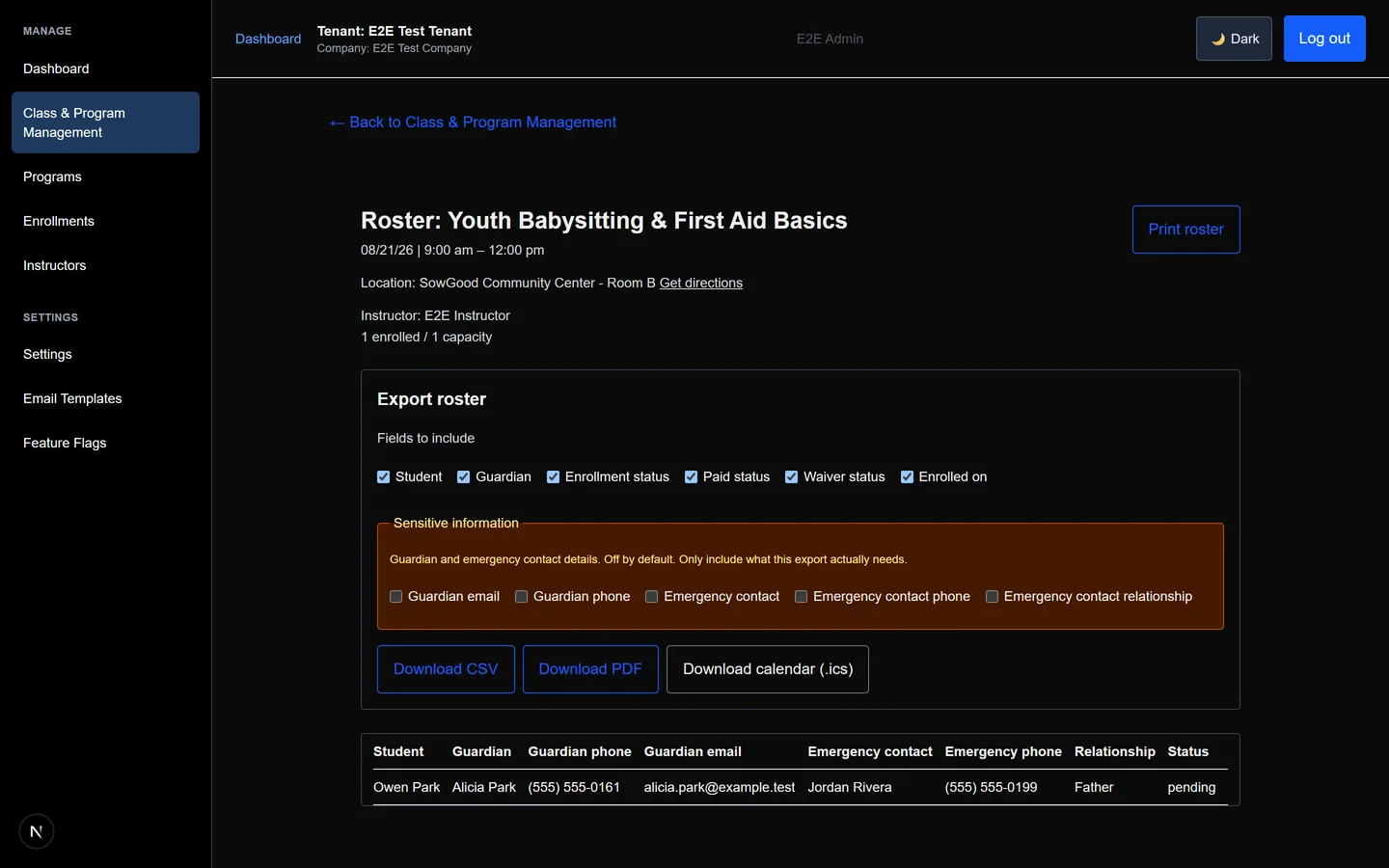
Admin roster view for a full class, showing a guardian on the waitlist.
Feature 4
Waitlists fill themselves
When a spot opens up, the next family in line is offered it automatically.
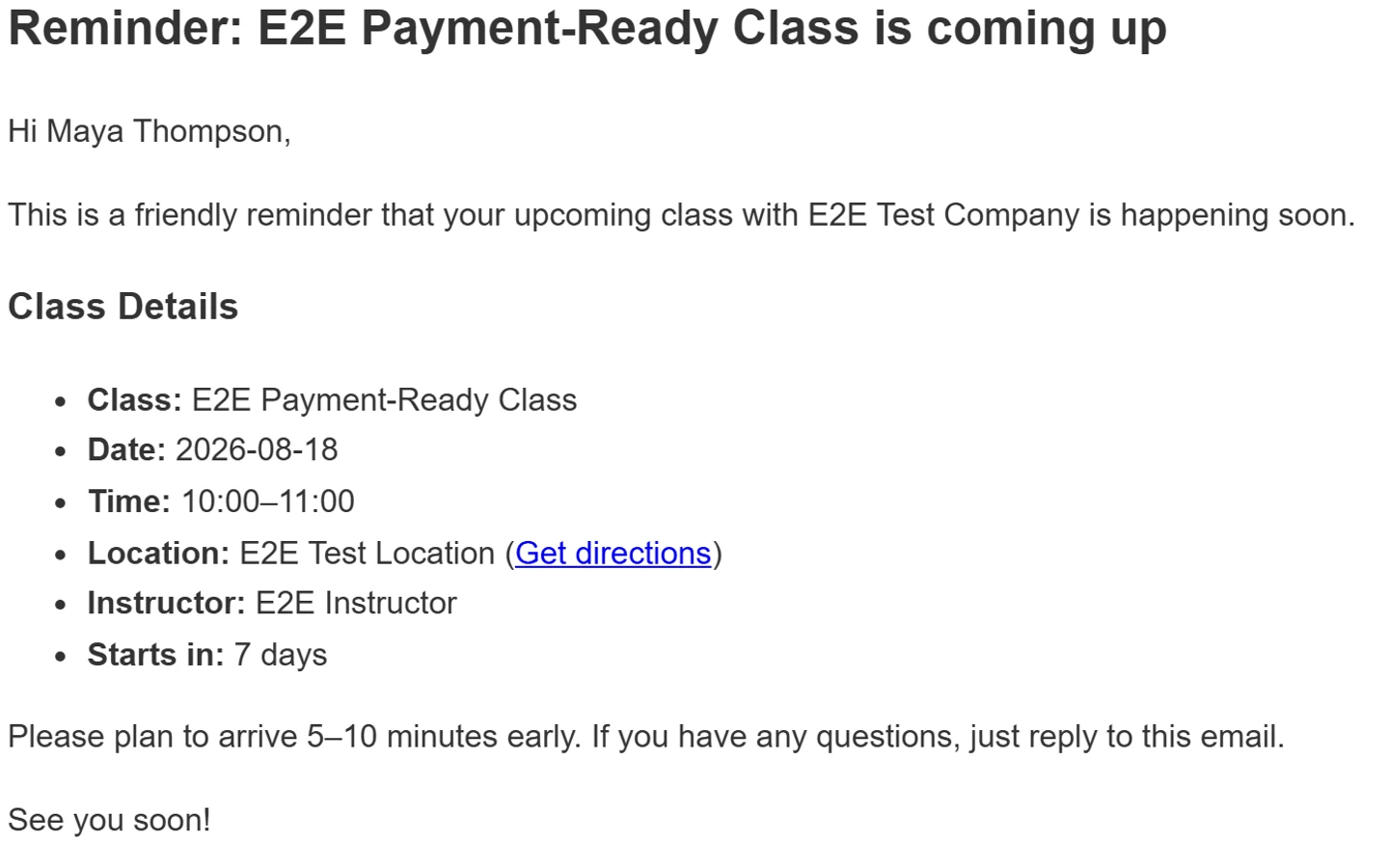
An automated class-reminder email showing the class details.
Feature 5
Reminders send on their own
Confirmation and reminder emails go out without you lifting a finger.
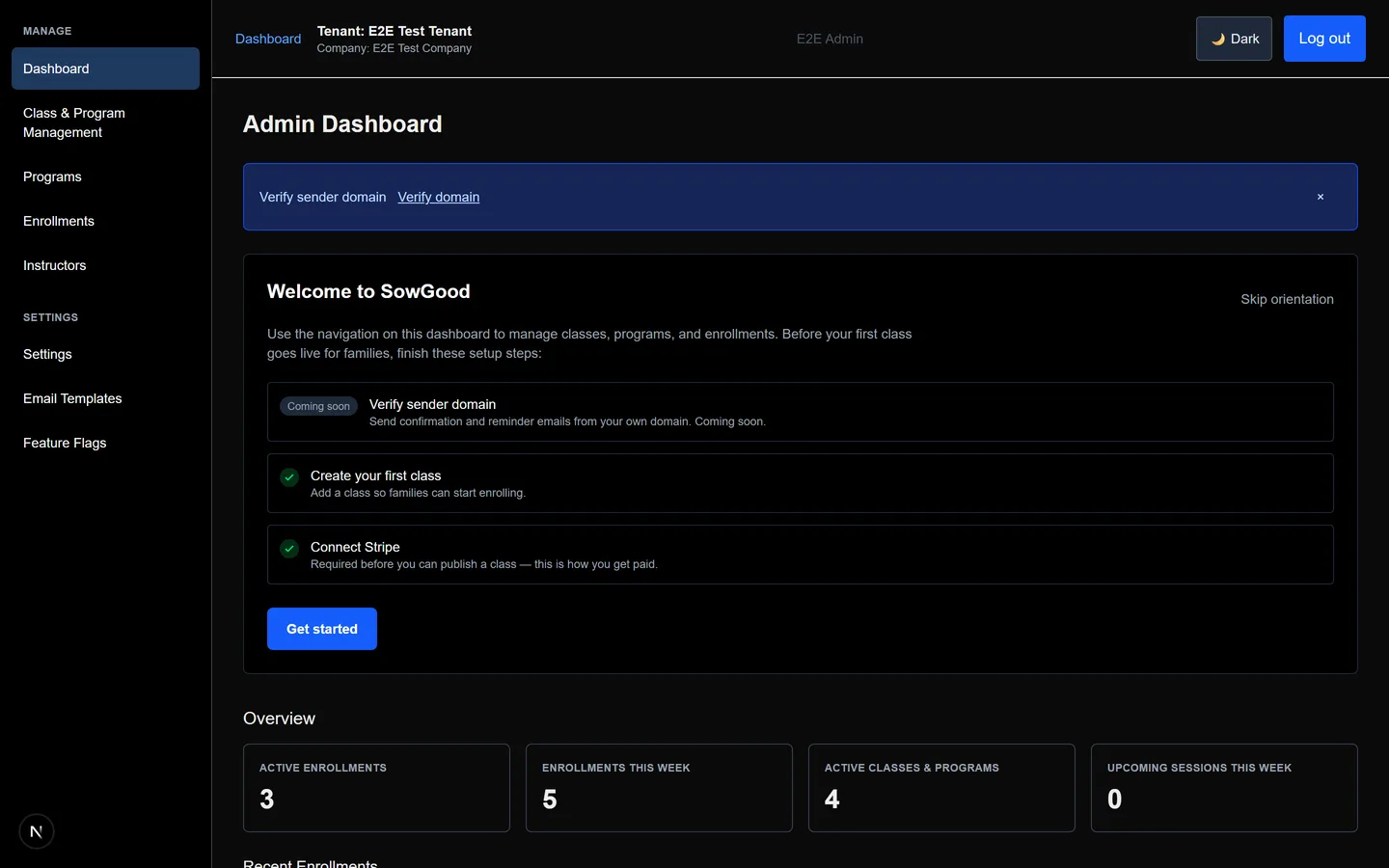
The admin dashboard overview, showing live enrollment and class stats.
Feature 6
One dashboard for everything
Rosters, enrollments, and today's sessions, all in one place.

How it works

1
Set up your account

Verify your sending domain so enrollment confirmations and reminders land in inboxes, not spam.

2
Create your first class

Add a class with an age range, schedule, and price. Publish when you're ready, no review wait.

3
Connect Stripe & get paid

Link your own Stripe account. Families pay you directly for classes; funds settle to you.

Simple, transparent pricing.

Families pay you directly for your classes. Payments are collected on your behalf and settled to your own connected account, and you set and handle your own refund and cancellation terms.

Providers pay SowGood a subscription for the platform itself, currently $49/month, billed monthly. That subscription is separate from the class payments families make to you.

Request access